Showing posts with label Fix It. Show all posts

Life Hacks For The Household

Household Tips

Here are some household tips which I picked up recently.

Using chalk to reduce moisture / dehumidify closets

If your closets have a musky smell, it means that the humidity levels is high. Leave a bundle of chalk in your closet to keep it dry and fresh. The chalk absorbs the moisture from the air.
Discard it when the chalk feels a bit damp / not like "fresh" chalk.

Using pandan leaves as a refrigerator freshener

Sometimes your fridge may smell bad because of fish, meat or other food that went bad. Pop in a bunch of washed pandan leaves, tied in a bundle with a rubber band and leave it inside. It will kill off those odours and gives a fresh pandan fragrance.
What is pandan leaves?

Natural mosquito repellent

Slice a lime into half and insert some cloves into the flesh and leave it where the mosquitoes cause a nuisance.
Shutterstock

[How-to] How to sync or add Your Google Gmail Account Contacts Into Your iPhone iPad iPod Touch Contacts List

Please note that iOS 6 and iOS 7 set up is different.


iOS: Syncing with Google Contacts

Learn how to set up syncing with Google Contacts on your iPhone, iPad, or iPod touch.

Follow these steps if you're using iOS 7 to sync your contacts with Google Contacts:
  1. Tap Settings > Mail, Contacts, Calendars > Add Account > Google.
  2. Enter the required information in the fields.
  3. Make sure Contacts is on.
After you have completed the setup, open the Contacts app on your device. Syncing should begin automatically.

Additional Information

If you're using iOS 5 or iOS 6, follow these steps to set up contact syncing with Google Contacts:
  1. Tap Settings > Mail, Contacts, Calendars > Add Account... > Other > Add CardDAV Account.
  2. Enter the following information in the fields:
    • Server: google.com
    • User Name: your full Google email address
    • Password: your Google account password
  3. Tap Next at the top of the screen to complete the setup.
After you have completed the setup, open the Contacts app on your device. Syncing should begin automatically.
Note: Make sure that SSL is enabled (under Advanced settings) and the port is 443.

[Share] How to remove stickiness from matt rubber surfaces

You probably have some gadgets around the house that has this matt rubber coated surface that is now sticky after a year or so. This is common in humid/hot places.

Removing stickiness from rubber surfaces on headphones 


I have this pair of headphones and the inner sides of the head phones above the earpiece is made of such rubbery surface and it turned sticky after about a year in storage. After googling for solutions, I discover that there were various recommended solutions, so I decided to try this wipe made of 70% Isopropyl Alcohol & 30% distilled water on my headphones and it worked!

Isopropyl Alcohol Wipe

Isopropyl Alcohol Wipes


While originally meant for hospital and clinical use, this wipe is quite handy - good for wiping keyboards, mouse, even stains off the wall and cupboards. For parents with kids, you can also bring it along when dining out so that you can clean any dirty or oily baby chairs and also to wipe toilet seats or diaper changing stations before use.

Before using this, i resort to using talcum powder to counter the stickiness but it was unsightly.

After the wipedown with the alcohol wipe, some parts of the rubbery surface is now silky smooth like new while some parts have a rough feel but no sticky feeling. Beats the sticky feel prior to the wipedown. Perhaps one more round of rubbing will help remove the rough bits.

However, it may not work on all sticky rubber surfaces, I tried it on my mouse and it feels even more sticky now. I guess its the composition of the rubber that matters?

There are many different type of similar wipes in the market, especially antiseptic wipes, so make sure you look out for the content that says Isopropyl Alcohol (70%).

Alternative brands include :-

Isopropyl Alcohol Wipes

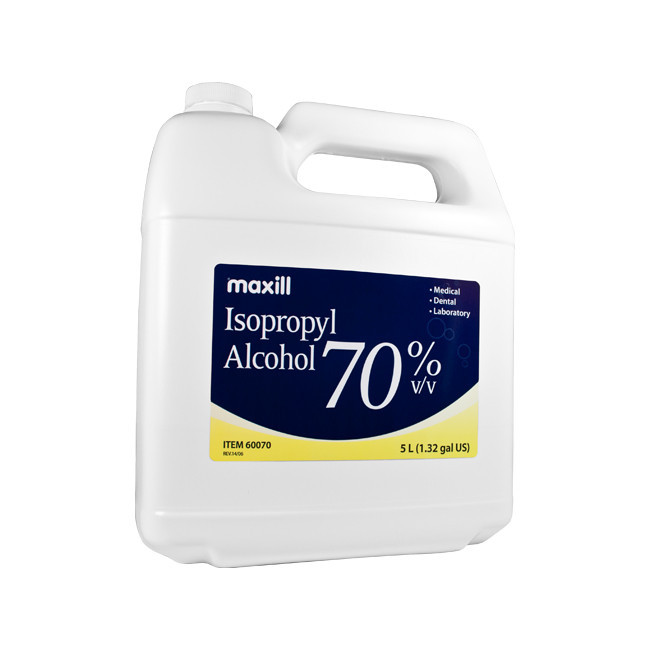
Isopropyl Alcohol is also available in liquid bottle form like this :-
Sticky Rubber

[Fix It] How to Solve Battery Drain Problem on iPhone 4S

Facing battery drainage issues on your iPhone?


If you have been facing battery drainage problem on your iPhone 4S and perhaps even iPhone 4 or iPhone 5 and you are a facebook user, the reason for your battery drainage issues could be due to Facebook app.


How to solve battery drainage issues on iPhones

A German app developer has discovered that one of the reasons for battery drainage issues on iPhones is that once every few minutes the Facebook app connects on its own to the Facebook servers. This causes the battery to drain seriously.

To Solve Battery Drain Problem on iPhone 4S, iPhone 4 and iPhone 5, read this article below

http://blog.hagga.net/archives/iphone-ipod-touch/3805-facebook-app-is-draining-your-iphones-battery

Basically it advises you 3 methods to solve it :-
1) kill off the Facebook app after using it each time or
2) uninstall the Facebook app totally and go back to prehistoric times...heehee
3) access Facebook via Safari, you can install a bookmarklet for easier access on your home screen

Hope this helps!

Ad Links by Google